
 BLUE / YELLOW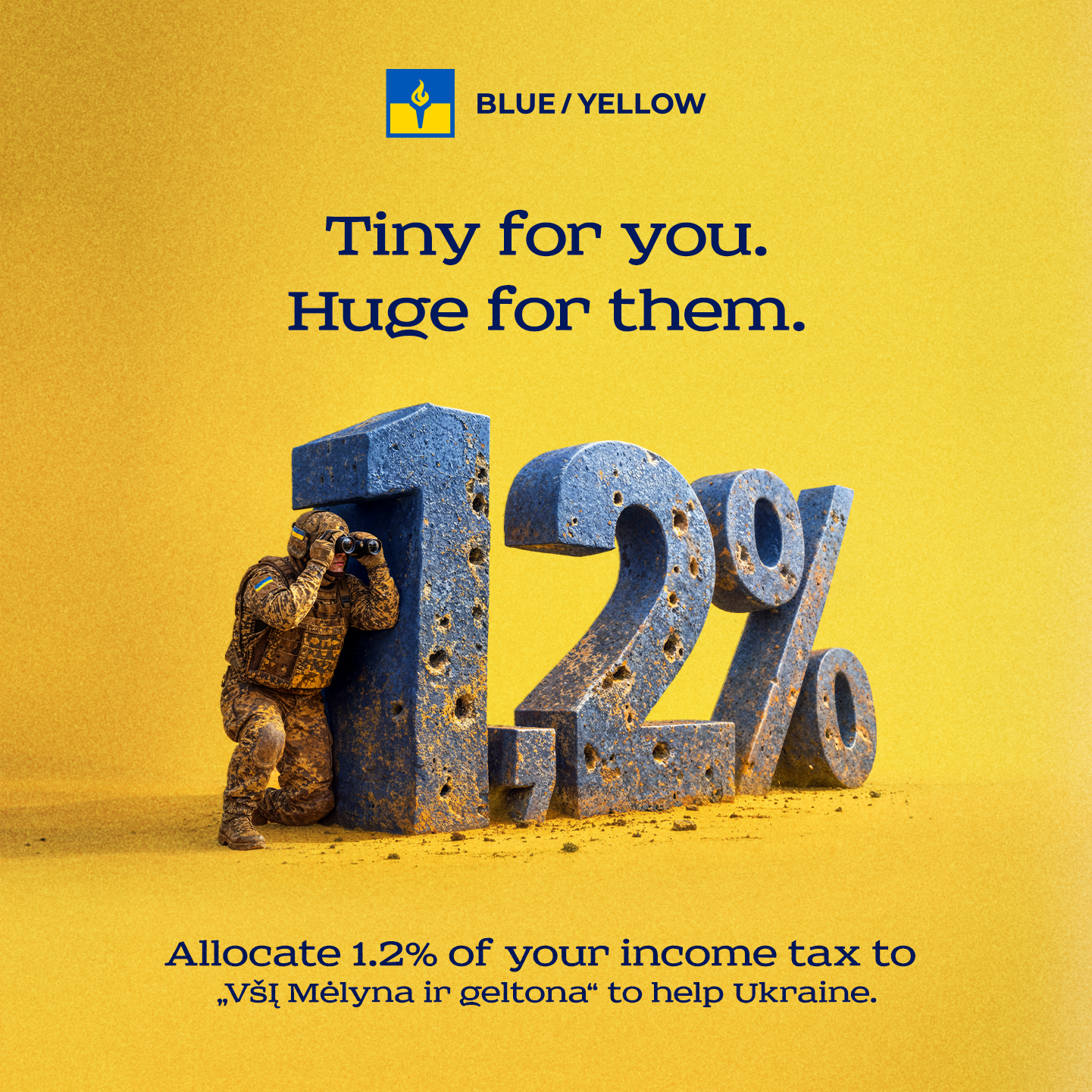
Tiny for you. Huge for them.
1.2% may not sound like much — but in Ukraine's fight for freedom, it translates into very real, tangible support. Until 4 May 2026, Lithuanian residents can allocate 1.2% of their paid Personal Income Tax (GPM — gyventojų pajamų mokestis) to VšĮ "Mėlyna ir geltona" (legal entity code: 303420560).
How to designate 1.2% of your Personal Income Tax (GPM) to VšĮ “Mėlyna ir geltona” (Blue/Yellow, legal entity code: 303420560):
Firstly, please note that the declaration portal is available in Lithuanian only. The steps below include the exact Lithuanian labels you will see on screen, as well as screenshots of every step so you can navigate the system easily if Lithuanian is not your native language.
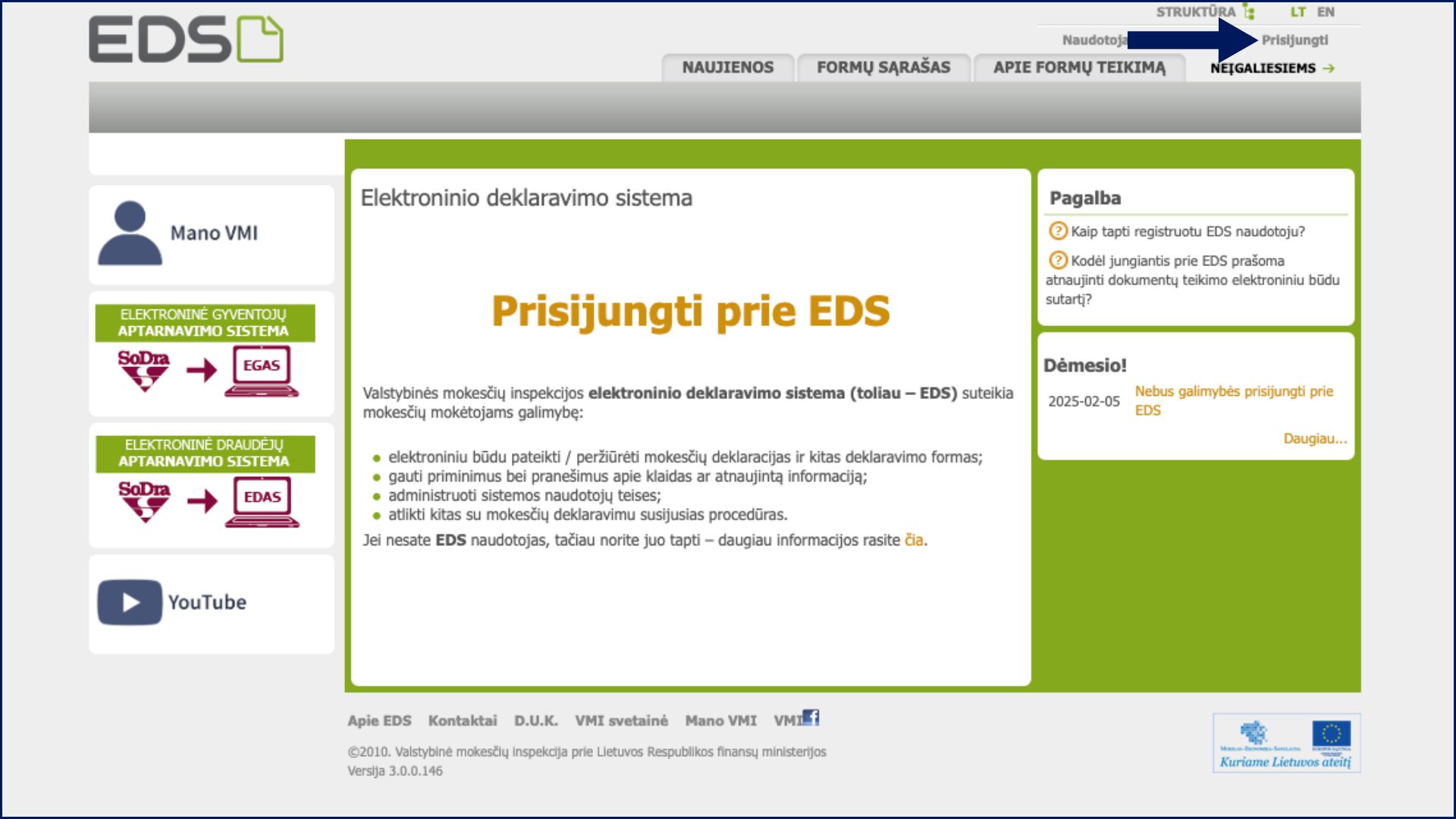
1. Log in to the VMI Electronic Declaration System (EDS): https://deklaravimas.vmi.lt. Click “Prisijungti” (Login) and choose your preferred login method from the options – online banking, electronic signature, and so on.
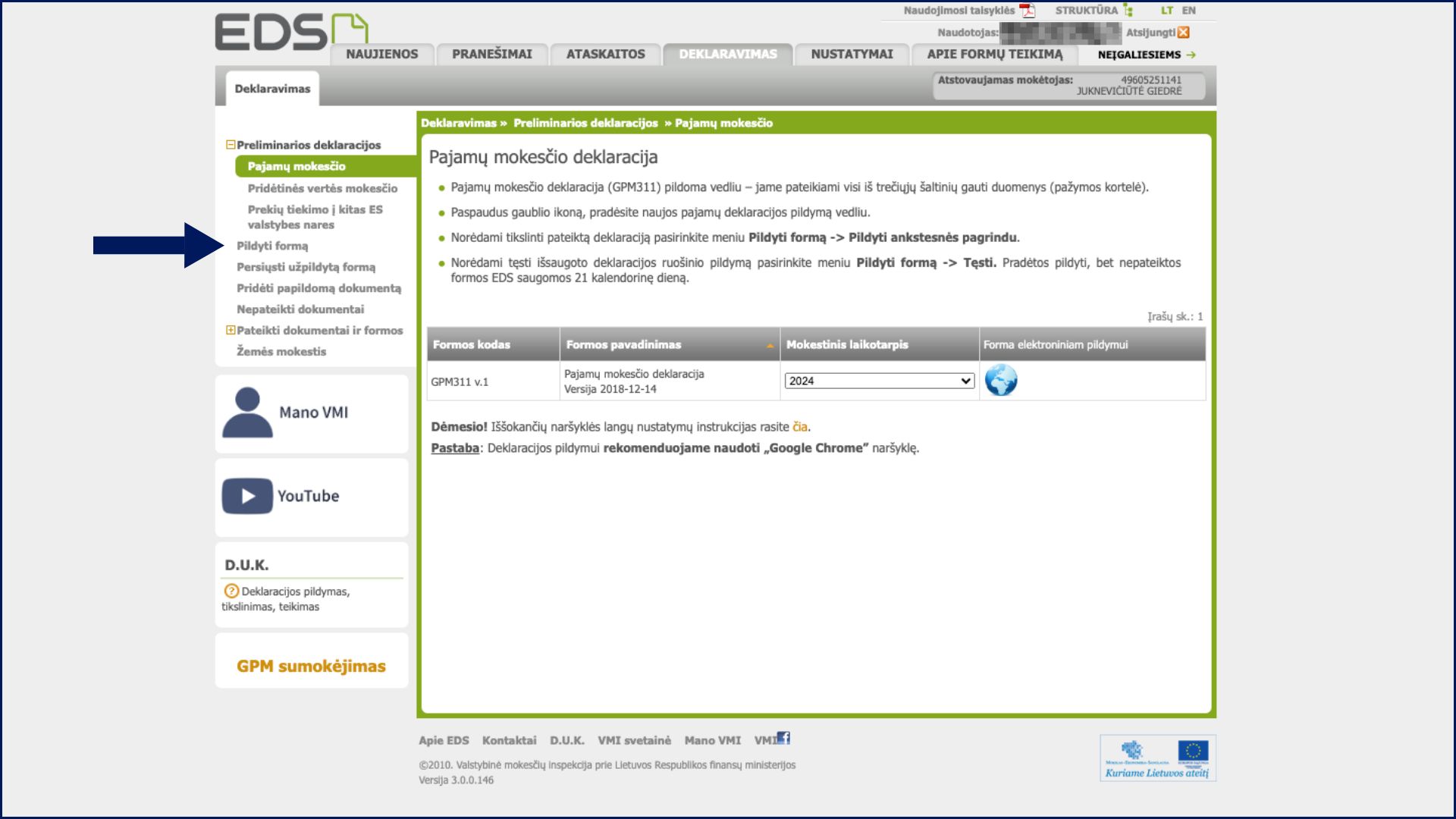
2. Once logged in, find the top section labelled “Deklaravimas” (Declarations). In the side menu, click “Pildyti formą” (Fill in a form).
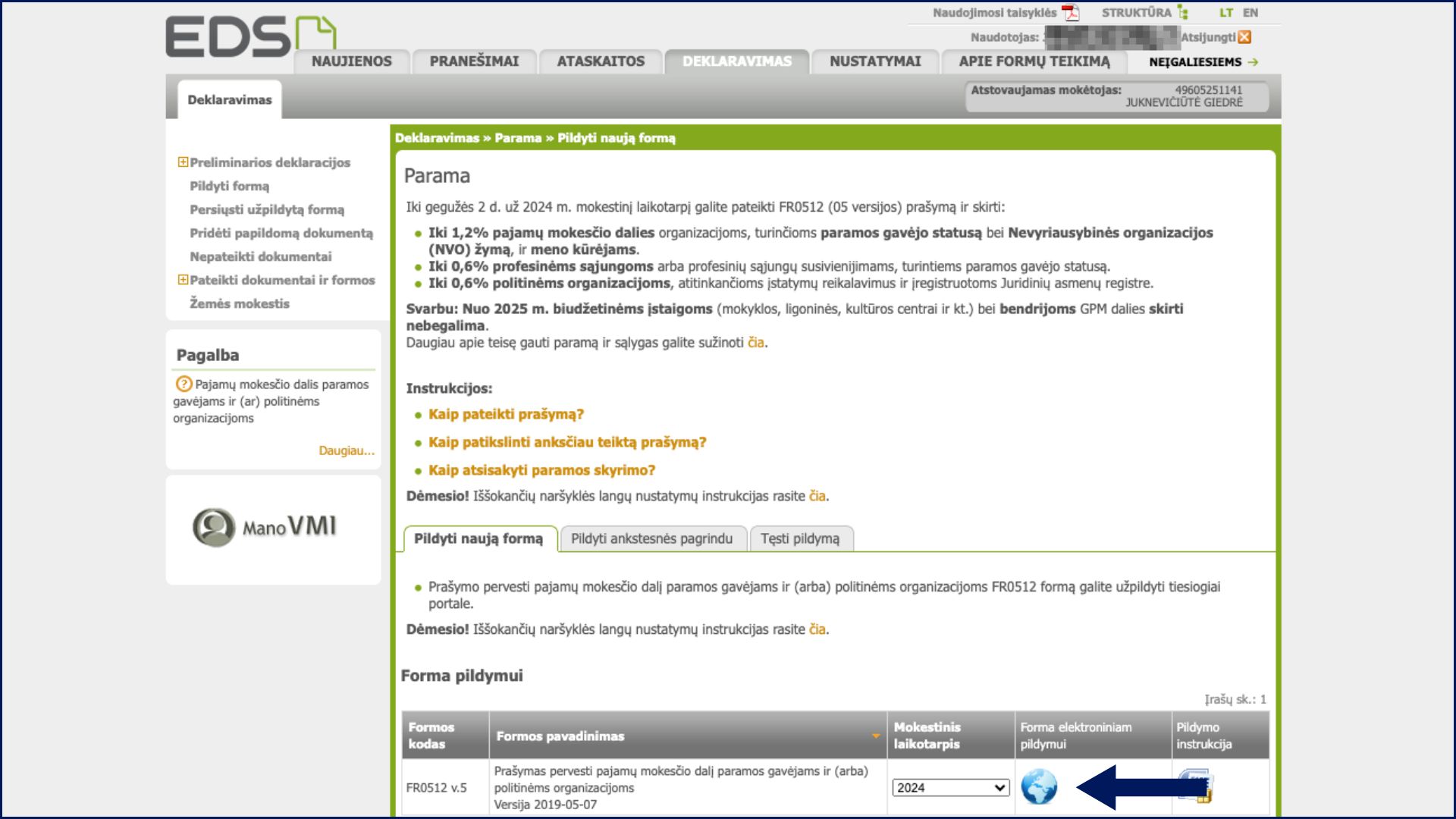
3. From the list of most commonly used forms, select “Prašymas skirti paramą” (Request to allocate support), or search by the form code FR0512.

4. Click the globe icon in the section labelled “Forma elektroniniam pildymui” (Form for electronic completion). This opens the interactive online form.
5. If you have previously allocated your GPM in a prior year, a pop-up window will appear showing your existing allocations. Click “Tęsti” (Continue). You will be able to see and edit your current choices — change the period, adjust the percentage split, delete an old entry, or add a new one. To add Blue/Yellow, click “Pridėti naują įrašą” (Add new entry) and follow Steps 7–9.
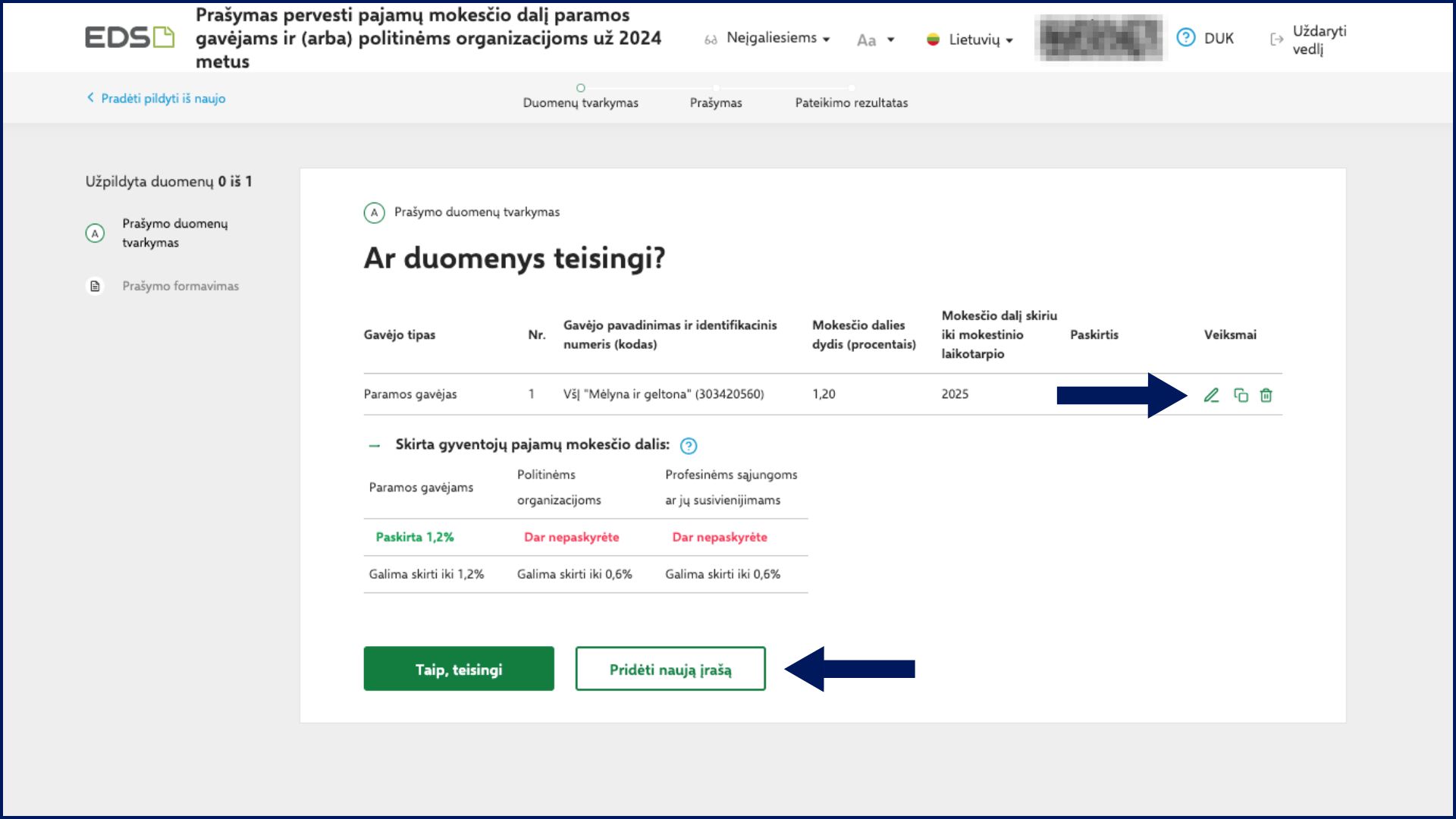
6. If you have not previously allocated your 1,2 % GPM, a pop-up window will appear. Click “Pradėti” (Start) to begin filling in the form.
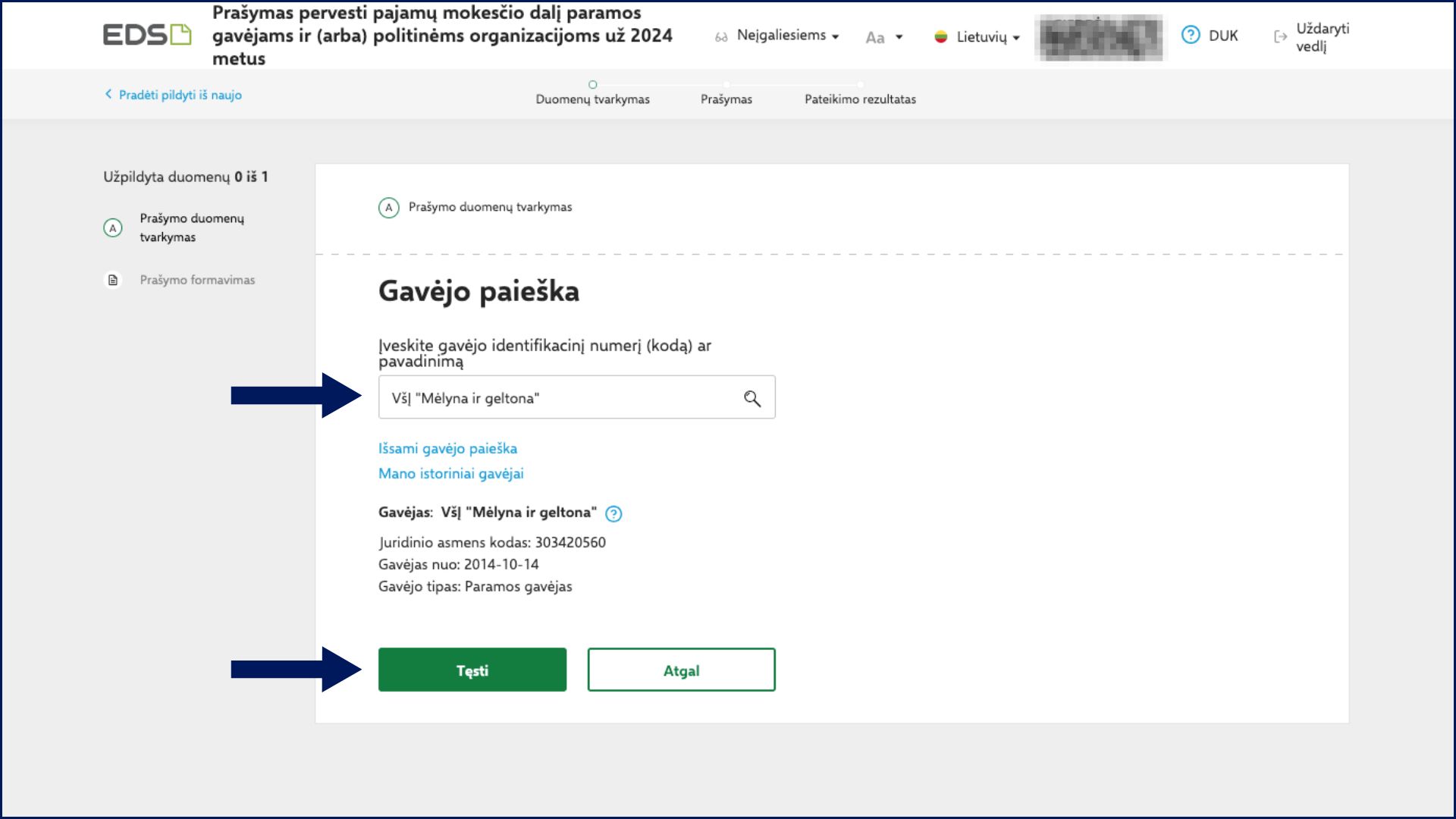
7. Under “Gavėjo paieška” (Recipient search), type either: “Mėlyna ir geltona” or 303420560 (the legal entity code). Select VšĮ “Mėlyna ir geltona” from the results list and click “Tęsti” to continue filling in the form. Please be careful to select the exact name, as some similar names exist in the list.
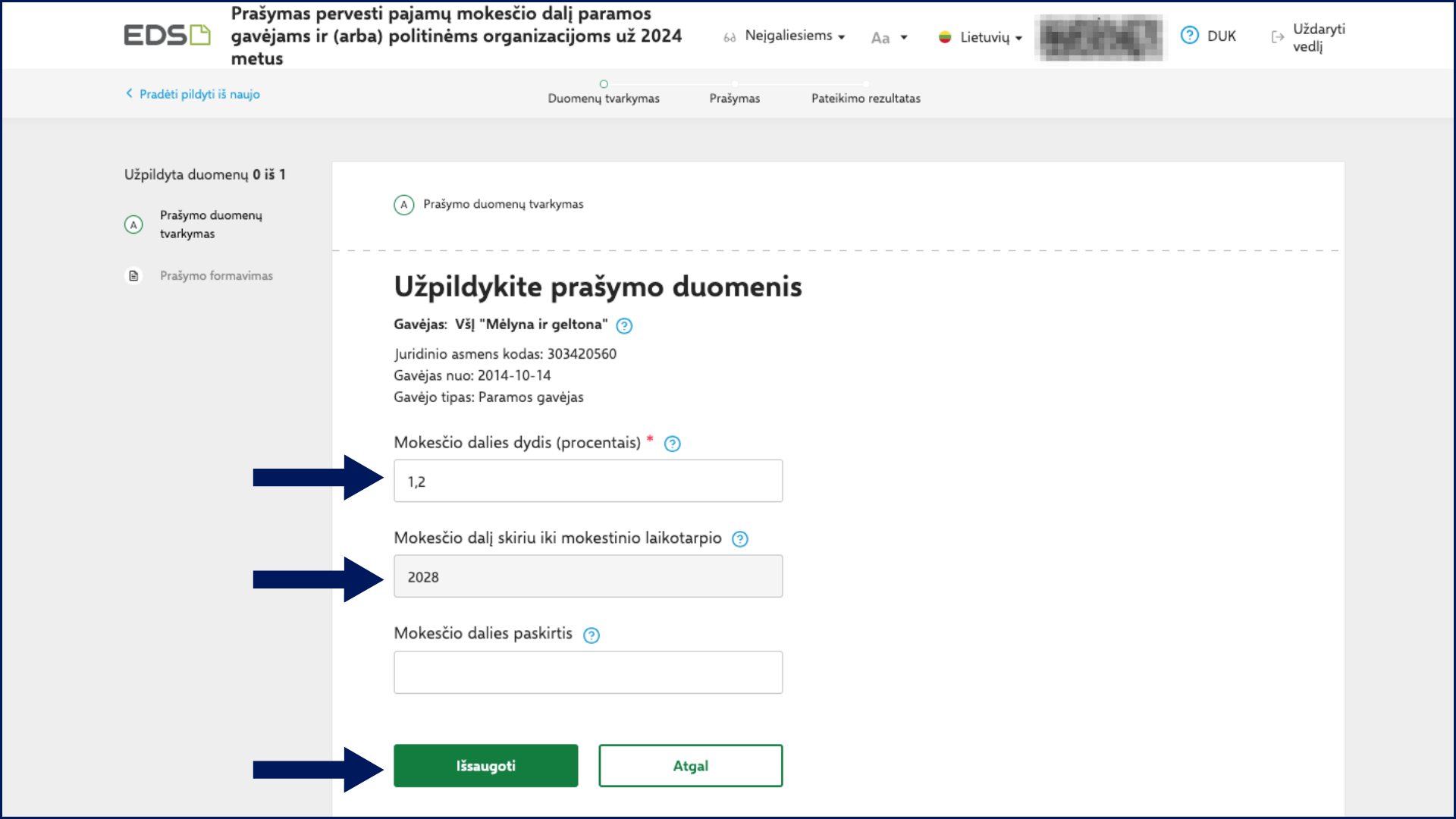
8. A new window will open where you need to specify “Mokesčio dalies dydis (procentais)” (Percentage allocated to the selected organisation), which is usually 1,2% unless you want to divide support between multiple organisations. Then, you will need to select which year should be the last year of this allocation (you are allowed to select up to 5 years from now). The third field can be left empty. Once you have filled in the first two fields, click “Išsaugoti” (Save) to save your choices.
9. Confirm that all details are correct. Click “Formuoti prašymą” (Generate request), and then click “Pateikti” (Submit).
Thank you — every euro allocated to Blue/Yellow becomes direct support for Ukraine.
A video guide from VMI (in Lithuanian) explaining the designation process can be found here: https://www.youtube.com/watch?v=VVpaY-FFbKk